
Disclosure: This post has affiliate links, so I may earn a small commission (at no extra cost to you) if you shop through them. Thanks for your support!
What if managing your daily tasks could be simpler, faster, and more efficient?
Getting to Know the Elgato Stream Deck Mini
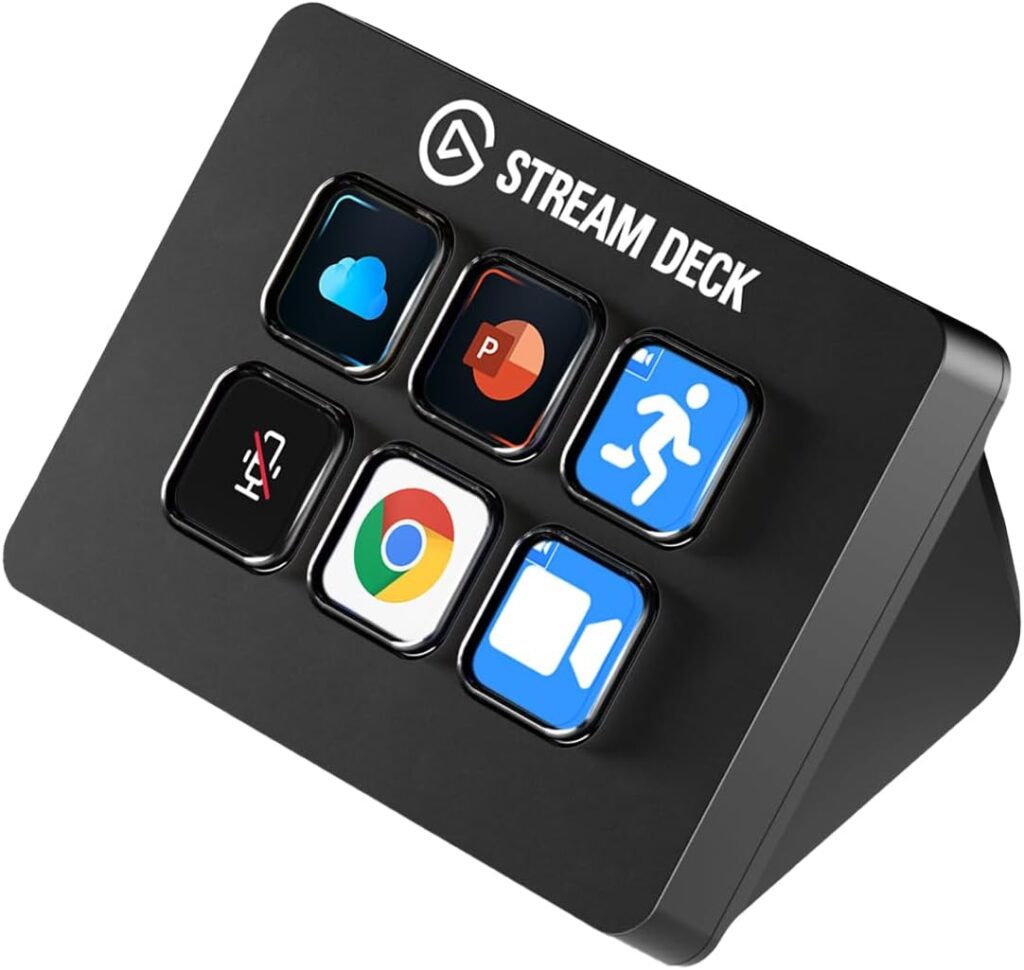
The Elgato Stream Deck Mini is more than just an accessory; it’s a game-changer for anyone who regularly uses software for work or play. This compact device comprises six customizable keys that can transform the way you interact with various applications on your computer. It’s perfect for those who find keyboard shortcuts a hassle and want to streamline their workflow significantly.

Why You’ll Love the Elgato Stream Deck Mini
Imagine having a personal assistant at your fingertips—one that helps you manage Zoom calls, Teams meetings, and PowerPoint presentations. The Stream Deck Mini allows you to assign tedious commands with a single tap, eliminating the need to memorize complex shortcuts. Here are some of the standout features that make this device worth considering.
Seamless Integration with Essential Software
If you often find yourself juggling multiple applications, you’ll appreciate how the Elgato Stream Deck Mini works seamlessly with essential software. It readily integrates with popular programs like Zoom, Microsoft Teams, PowerPoint, Excel, Word, Google Suite, Adobe Creative Apps, and even Spotify.
Here’s a quick breakdown of compatibility:
| Software | Compatibility |
|---|---|
| Zoom | Yes |
| Microsoft Teams | Yes |
| PowerPoint | Yes |
| Excel | Yes |
| Word | Yes |
| Google Suite | Yes |
| Photoshop | Yes |
| Spotify | Yes |
| Other Adobe Creative Apps | Yes |
Using the Stream Deck Mini, you can assign specific functions or commands to the keys for each application, allowing you to switch between tasks without fumbling around.
Customizable LCD Keys
One of the most exciting features is the customizable LCD keys. You can design the interface to suit your liking, meaning you can personalize each key with icons and labels that make sense to you. This means no more confusion when searching for the right shortcut; everything will be intuitively laid out for you.
User-Friendly Setup
Setting up the Elgato Stream Deck Mini is a breeze. The user-friendly software allows you to drag and drop actions onto each key. This intuitive setup means you won’t find yourself spending ages trying to figure out how to make it work. The simple interface ensures that you can customize your keys quickly and effortlessly.
Boost Your Productivity
Using the Stream Deck Mini effectively can significantly boost your productivity. The ability to execute multiple actions at once or in a timely sequence means you can manage your tasks more efficiently. Whether you’re a content creator, business professional, or student, this device can streamline your workflow.
Multi-Action Efficiency
This feature is particularly revolutionary. With the Stream Deck Mini, you can program a single key to perform several actions at the same time. For example, pressing a single key could simultaneously open Zoom, start a scheduled meeting, and share your screen. This multi-action capability can save precious minutes during your busy day, allowing you to focus on what truly matters.

Ergonomics and Design
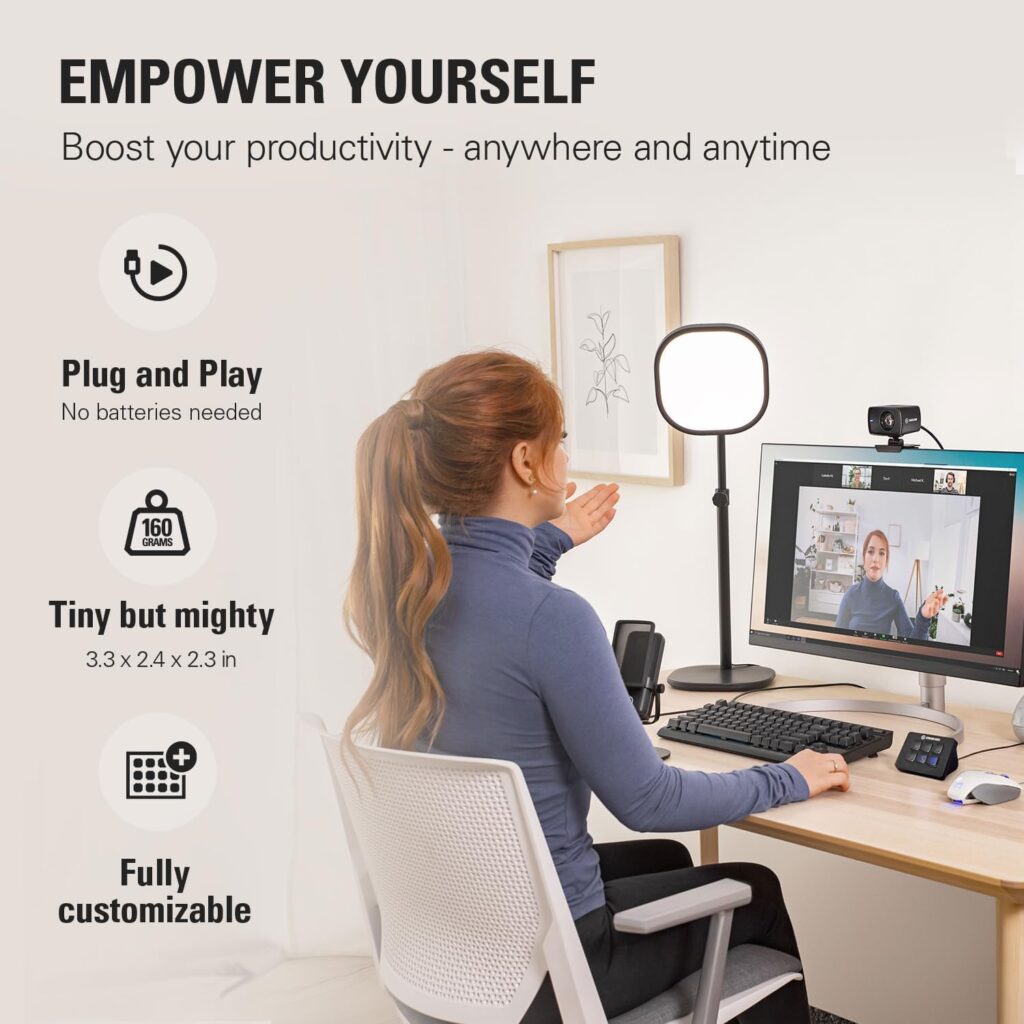
The Elgato Stream Deck Mini is designed with your comfort in mind. Its compact and sleek design means it won’t take up much space on your desk while remaining easy to access. The high-quality key switches provide satisfying tactile feedback, making them a joy to use.
Size and Layout
- Dimension: With its compact size, the Stream Deck Mini fits easily into any workspace, whether big or small.
- Key Layout: The six key design allows for efficient utilization without overwhelming you with choices.
Performance Across Different Applications
Whether you are using the Stream Deck Mini for gaming, professional presentations, or managing virtual meetings, it adapts to your needs.
Gaming
For gamers, the ability to control functions like stream notifications, sound effects, or even camera angles with a press of a button is invaluable. Streamers can engage with their audience in a way that was previously unattainable, enhancing the overall gaming experience.
Professional Use
If you’re in a corporate setting, presentations often require switching between different software. The Stream Deck Mini allows you to navigate between apps effortlessly, ensuring you maintain a smooth flow during your presentations.
Educational Purpose
For students or educators, managing online classes can be daunting. By assigning quick commands to the Stream Deck Mini, you can focus more on delivering content rather than managing the technology.
Versatility
The versatility of the Stream Deck Mini makes it an attractive option for various user demographics.
For Creators
If you are involved in video production, graphic design, or any other creative field, the ability to quickly switch tools in software like Adobe Creative Suite can speed up your workflow immensely. You can set up commands for tasks you perform frequently, allowing you to unleash your creativity without the interruptions of constant menu navigation.
For Content Management
For anyone in content management or blogging, this device can help manage social media postings, streamline scheduling, and simplify analytics tracking. You can personalize commands that directly link to your most-visited websites, speeding up the process of gathering information.
Things to Consider
While the Elgato Stream Deck Mini is a wonderful tool, it’s essential to think about specific aspects before making a purchase.
Price Point
The device typically falls into a mid-range price category. While it is an investment, the time saved and the boost in productivity can often outweigh the initial costs.
Learning Curve
Though setup is straightforward, there might be a brief learning curve as you adapt to using the keys efficiently for your own tasks. However, the potential benefits make the transition worthwhile.
The Bottom Line
Ultimately, the Elgato Stream Deck Mini offers a unique way to enhance your daily productivity. Its customizable features, seamless integration with a range of essential software, and the ability to assign multiple commands to a single key make it a worthy addition to any workspace. By using this innovative device, you can work smarter, not harder, and streamline your daily tasks significantly.
A Quick Recap
- Integration: Works with major applications like Zoom, Teams, and Photoshop.
- Customization: Personalize the layout to match your workflow.
- Ease of Use: User-friendly setup allows for quick adjustments.
- Performance: Multi-action shortcuts simplify complex tasks.
It’s a powerful tool that can change the way you manage your daily activities, whether in personal, educational, or professional settings. Now, when you find yourself overwhelmed with keyboard shortcuts and tasks, you’ll know there’s a sleek solution waiting for you in the Elgato Stream Deck Mini.
No matter how you choose to use it, it’s time to take control of your workflow and boost your productivity, one key at a time.

Disclosure: As an Amazon Associate, I earn from qualifying purchases.
Disclosure: This post has affiliate links, so I may earn a small commission (at no extra cost to you) if you shop through them. Thanks for your support!